
Automated Dispensing Robot Videos

A World of Robotic Dispensing and Assembly Solutions

How to Choose the Best Vinyl Cutter Software?

Choosing the right Vinyl Cutter Software can determine whether a design becomes a clean product or a costly re-cut. The choice affects contour accuracy, material waste, workflow speed, and operator confidence. A small sign shop may need simple text cutting, while a production studio may require nesting, barcode support, and precise registration-mark reading. The best option depends on real working conditions, not attractive screenshots.

Industry data shows why this decision deserves careful attention. Smithers’ research on digital print and automated production highlights continuing demand for short runs, personalization, and faster turnaround times. FESPA’s Print Census also identifies workflow automation and production efficiency as important priorities for modern print businesses. These reports cover broader digital printing markets, not Vinyl Cutter Software alone. That distinction matters. Software claims should not be treated as universal proof.

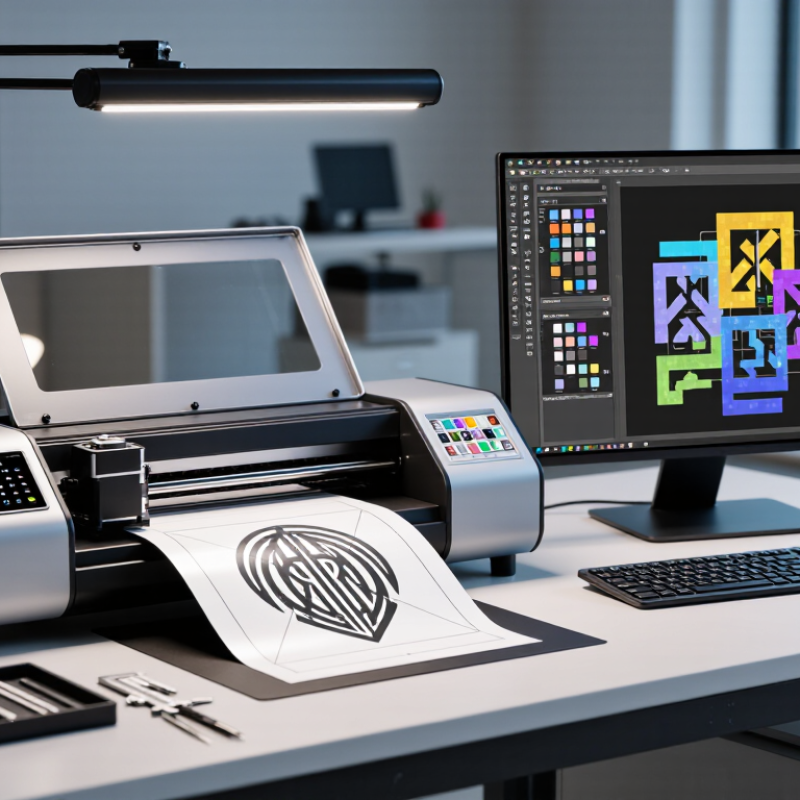
A practical evaluation should begin with the cutter, operating system, and design formats already in use. Test a detailed logo, a 5-millimeter letter, and a long diagonal line. Watch the blade path closely. Does the software preserve sharp corners? Can it recover after a communication failure? Is technical support reachable when a deadline is near? Features such as weed-line creation, offset control, duplicate cutting, and plug-in compatibility can save hours each week. However, advanced tools may increase training time. I have seen teams purchase powerful software, then use only basic lettering functions. That is an expensive mismatch. Reliable decisions come from trial files, documented compatibility, transparent pricing, and feedback from experienced operators. No single platform wins every workflow.
How to Choose the Best Vinyl Cutter Software?

Define the Workflow: Design, Cut, Weed, and Print-and-Cut Requirements

Choosing vinyl cutter software starts with mapping your real workflow, not collecting features. A clean design may become difficult when small letters need weeding. I test the complete path: create artwork, set cut lines, send a sample, weed it, and inspect the final surface. This practical check reveals problems that screenshots hide. The software should handle layers, scale, spacing, and basic file cleanup without confusing controls. Experienced users also verify whether settings remain consistent between design and cutting stages.

If your work ends after cutting, prioritize accurate paths, material presets, and weed-friendly previews. For print-and-cut projects, registration marks, contour paths, color management, and precise alignment matter more. A printed label can look perfect yet fail during trimming if the contour line shifts slightly. I prefer software that shows cut boundaries clearly and allows small corrections before production. Still, no interface removes every mistake. I once trusted a default offset and created overly thin sticker borders. That error changed my testing habits.

Tips

Build a small test sheet with text, curves, corners, and narrow gaps. Cut it from the material you use most. Compare weeding time, edge quality, and alignment. Keep notes for blade depth, pressure, speed, and offset. Do not judge software from one successful sample. Repeat the test after exporting and reopening the file. A reliable workflow should feel predictable, but a little friction can expose settings you have overlooked.

Check File Support for SVG, DXF, PDF, AI, EPS, and HPGL Standards

Choosing vinyl cutter software starts with file support, not attractive menus. Your daily workflow may include SVG, DXF, PDF, AI, EPS, and HPGL files. Each format can behave differently during import.

SVG usually preserves scalable paths and is useful for clean lettering or logos. DXF often carries technical linework, but layers may arrive disorganized. PDF files can contain hidden clipping masks, embedded images, or incomplete paths. AI and EPS files may depend on fonts, effects, or version settings. HPGL is older, yet some cutting workflows still require its precise plotter commands.

Check more than the file extension. Import a real project and inspect every line at high zoom. Look for missing curves, doubled paths, broken letters, and unexpected filled areas. Scale the design from 100 to 500 percent. Does the software keep dimensions accurate? It should.

Test export too. Some programs open a file correctly but save it with altered joins or separated shapes. I once trusted a preview and found tiny gaps after cutting. That mistake cost material and time. A small test cut would have exposed it earlier. Try files with thin strokes, compound paths, and multiple layers. Ask whether the software converts text to outlines, preserves measurement units, and handles transparent backgrounds. No format checklist is perfect. Your own files remain the strongest test.

How to Choose the Best Vinyl Cutter Software? - Check File Support for SVG, DXF, PDF, AI, EPS, and HPGL Standards

File Format Core Standard Typical Vinyl-Cutting Support Best Use in a Cutting Workflow Important Compatibility Checks Recommended Priority
SVG XML-based Scalable Vector Graphics High
Widely used for modern vector artwork and web-based design workflows.
Logos, lettering, layered artwork, icons, and shapes that need to remain editable without losing quality. Check support for text conversion, strokes, clipping paths, compound paths, layers, gradients, and embedded images. Essential for general-purpose design and flexible editing.
DXF CAD exchange format for drawing data High
Commonly used when precise geometry or CAD compatibility is required.
Technical patterns, measured shapes, templates, outlines, and designs created in CAD applications. Confirm supported DXF versions, unit settings, scale handling, spline conversion, duplicate lines, and open contours. Essential for technical and dimension-sensitive projects.
PDF Portable Document Format Medium to High
Vector content may be imported, but not every PDF contains editable vector paths.
Proofing, print-to-cut workflows, document exchange, and artwork received from different sources. Verify whether the software extracts vector paths, preserves page dimensions, handles transparency, and separates raster images from cut lines. Highly useful when receiving production files from clients or printers.
AI Adobe Illustrator artwork format Medium
Support can depend on the file version and whether artwork uses proprietary features.
Professional vector artwork containing precise paths, typography, layers, and production annotations. Check supported Illustrator versions, outlined fonts, clipping masks, effects, linked files, artboards, and color settings. Important for professional design exchange, especially with outlined vector artwork.
EPS Encapsulated PostScript vector format High
Long-established format for exchanging simple vector artwork.
Logos, illustrations, sign graphics, and legacy artwork intended for clean contour cutting. Confirm handling of compound paths, spot colors, bounding boxes, clipping paths, and files containing raster previews only. Strong choice for reliable exchange of uncomplicated vector artwork.
HPGL Hewlett-Packard Graphics Language plotter commands High
Designed for plotter-style movement and commonly associated with direct cutter output.
Sending finalized pen or knife movement instructions to compatible plotters and cutting devices. Check plotter command variants, origin position, page size, scaling, pen-up and pen-down behavior, and device communication settings. Essential when direct plotter or cutter communication is required.
Raster Images Pixel-based formats such as PNG, JPG, and TIFF Conditional
Raster artwork normally requires tracing or vector conversion before cutting.
Reference images, scanned artwork, photographs, and designs that need automatic or manual tracing. Evaluate tracing accuracy, threshold controls, noise removal, minimum object size, and manual node editing tools. Useful as an additional feature, but not a replacement for native vector support.

Selection tip: prioritize software that imports editable vector paths, preserves scale and layers, converts text to outlines, supports compound paths, and exports a reliable plotter-ready format.

Compare Precision Specs, Including ±0.1 mm Cutting Accuracy and Tracking

Choosing vinyl cutter software requires more than checking supported file formats. Precision settings matter most when letters, decals, or layered graphics contain narrow gaps.

A credible system should state whether it can maintain ±0.1 mm cutting accuracy, and under which conditions. Material width, blade pressure, speed, acceleration, and registration marks all influence the result.

The 2023 FESPA Print Census surveyed more than 1,000 printing professionals and identified quality improvement as a major investment priority. That finding supports a practical rule: measure performance, rather than trusting attractive specifications.

Ask for a repeatability test using a 100 mm square and several small circles. Cut the same design repeatedly, then measure each edge with a digital caliper.

Tracking is equally important. A long contour may drift if pinch pressure changes or the software handles corners poorly. ISO 12647-8 focuses on process control for digital production workflows, reinforcing the value of documented, repeatable settings. However, it does not guarantee a cutter’s mechanical accuracy. That distinction is easy to miss.

Test the software yourself.

In my experience, a ±0.1 mm claim may describe ideal laboratory conditions, not every roll of vinyl. Humidity, adhesive drag, and imperfect alignment can reduce accuracy.

Reliable software should provide calibration tools, adjustable overcut, corner compensation, and visible tracking controls. It should also preserve scale when importing files.

A small 0.5% resizing error can become noticeable across a 1,000 mm sign. The best choice is therefore the program that proves precision through repeatable samples, clear documentation, and honest limitations.

Evaluate RIP, Nesting, Weeding, and Color-Management Capabilities

How to Choose the Best Vinyl Cutter Software?

Choosing vinyl cutter software starts with the jobs you actually produce. A reliable RIP should handle printed graphics, spot colors, and accurate cut lines. Check whether it supports clear previews before sending work to the cutter. Small registration errors can waste an entire roll.

I test software with gradients, fine outlines, and overlapping objects. Basic demonstrations often look better than real production files.

Nesting tools can reduce vinyl waste by arranging shapes tightly without damaging their orientation. Look for adjustable spacing, rotation controls, and material-width settings. These details matter when several decals share one sheet.

Weeding functions deserve equal attention. Good software can add weed borders, internal weed lines, and corner marks. Keep them visible but not excessive. Too many lines slow the operator.

Color management is less visible, but it controls consistency. The software should support accurate profiles and predictable conversions between screen, printer, and vinyl. Test a small color chart first. Reds and dark blues often shift unexpectedly.

I once trusted a monitor preview and printed a noticeably dull set of labels. That mistake was avoidable.

Measure output when possible, and save tested settings for repeat orders. No system gets every material right. Careful users still need to inspect the first cut, compare spacing, and adjust pressure or blade settings.

Verify Driver Compatibility, 64-Bit Support, Updates, and Total Cost of Ownership

How to Choose the Best Vinyl Cutter Software?

Driver compatibility should be checked before judging creative features. Confirm support for your operating system, cutter model, connection type, and required driver version. The 2024 Verizon Data Breach Investigations Report found that human involvement appeared in 68% of breaches. A mismatched driver can create similar confusion, especially when installation instructions are unclear. Test a small design first. Watch for delayed commands, missing cut lines, or unexpected scaling.

64-bit support matters on modern computers. It can improve stability when processing large files, detailed lettering, or multiple layers. Ask whether the software receives security and compatibility updates. IBM’s 2024 Cost of a Data Breach Report placed the average global breach cost at 4.88 million dollars. A cutter program may not hold sensitive data, but neglected software can still expose connected systems. Updates should install cleanly, preserve settings, and support current drivers. That sounds basic. It is often overlooked.

Calculate total cost of ownership, not only the purchase price. Include subscriptions, paid upgrades, driver utilities, training time, file-conversion tools, and technical support. Flexera’s 2024 State of IT report continues to identify technology cost control as a major management concern. Compare those costs against your actual workflow. Cheap software may become expensive after repeated workarounds. I have seen reliable output matter more than impressive feature lists. Still, compatibility claims deserve independent testing, because product documentation can be incomplete.

How to Choose the Best Vinyl Cutter Software?

This practical evaluation model prioritizes the factors that most directly affect reliable production: driver compatibility, 64-bit support, update availability, and total cost of ownership. Verify each item with the software documentation, cutter manufacturer, operating system, and a real test installation before purchasing.